
Overview
The ABM Workflow Play is a guided workflow that walks you through bulk generating personalized Account Based Marketing (ABM) pages for your key accounts -- starting from a CSV of your target companies.
Flint handles the entire process: if you don't have an existing ABM template page, Flint will generate one for you as part of the play. You simply bring your account data and Flint does the rest.
From the Dashboard
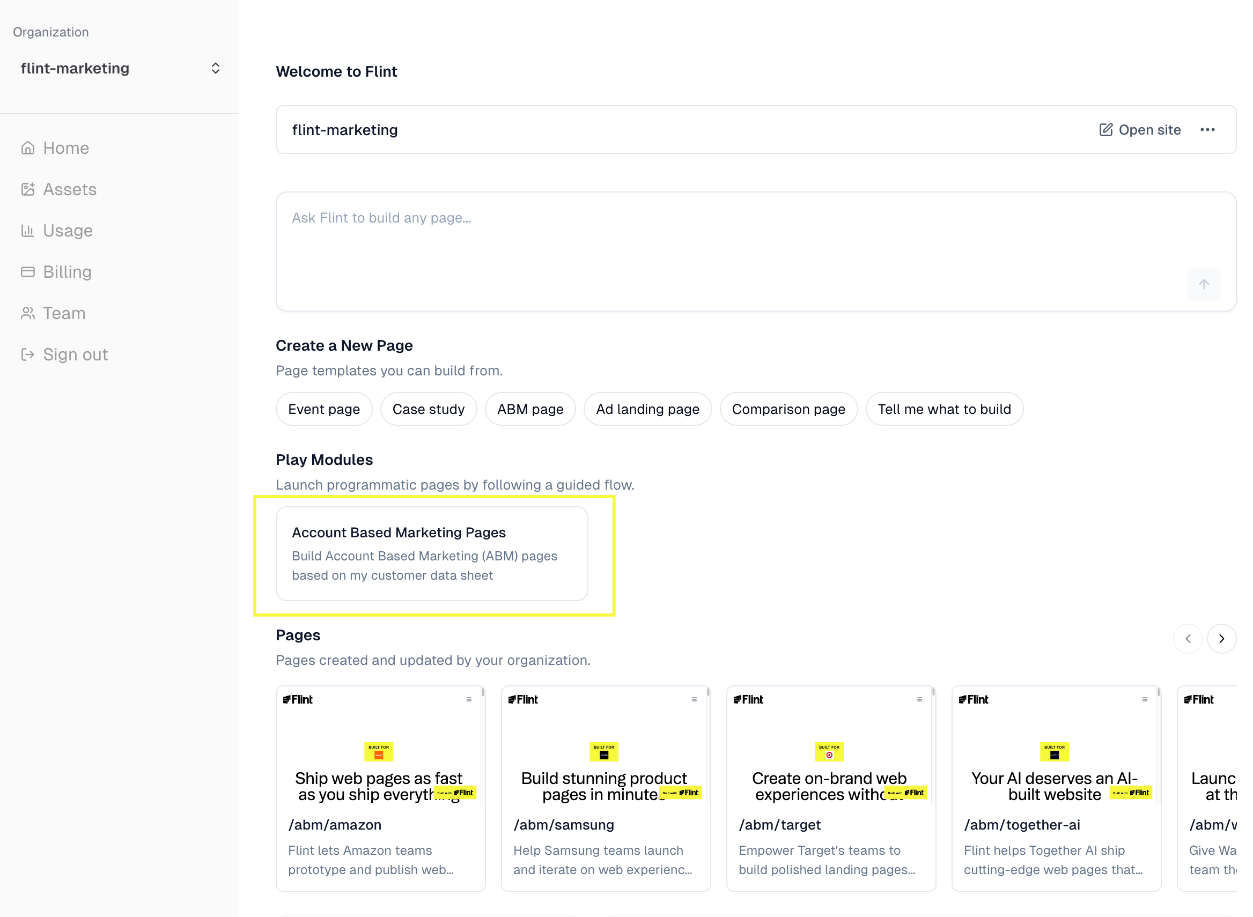
On the Flint home dashboard, look for the Play Modules section. Click Account Based Marketing Pages to start the play.
From within Chat
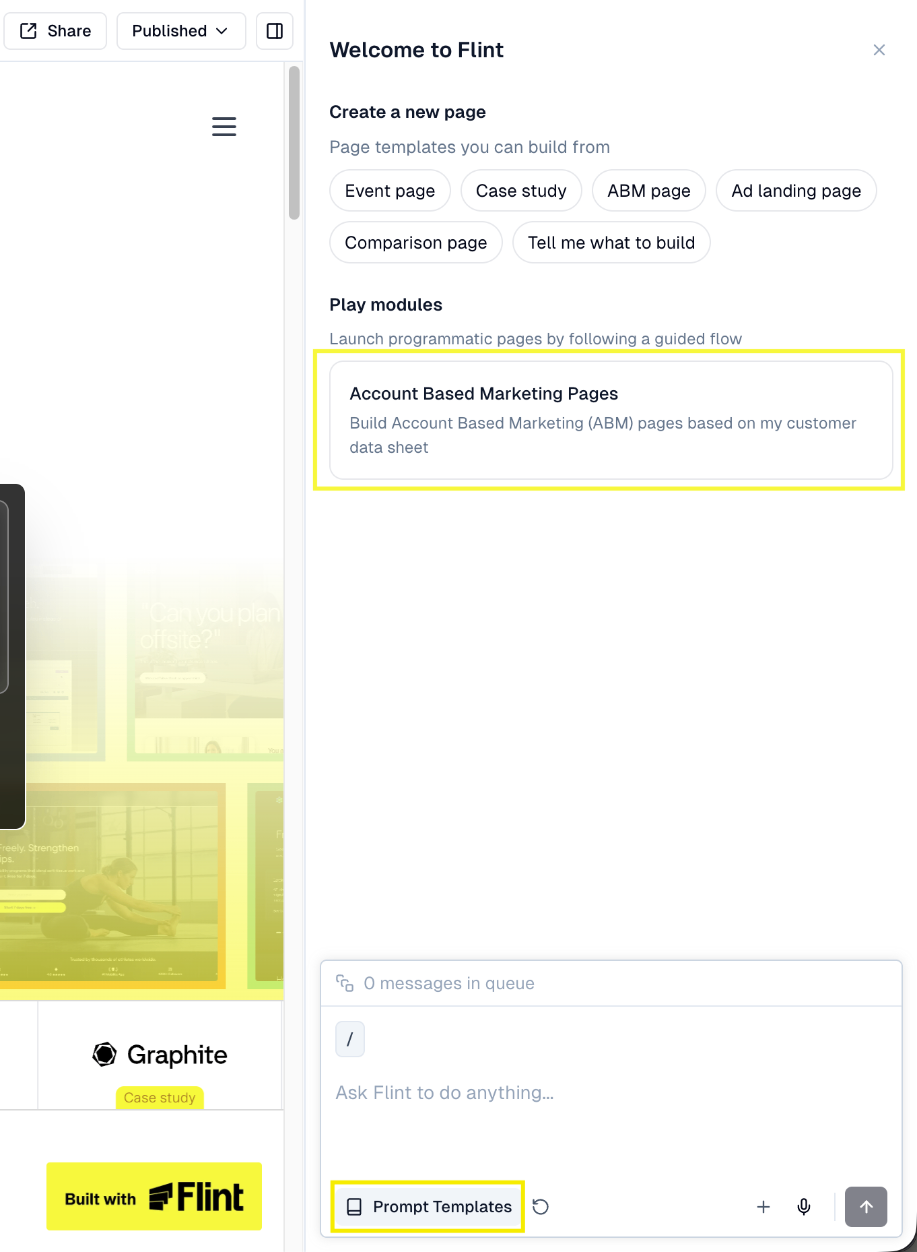
Already in the editor? Click Prompt Templates in the chat input bar to access plays at any point during a conversation. Select Account Based Marketing Pages from the list.
Starting the Play
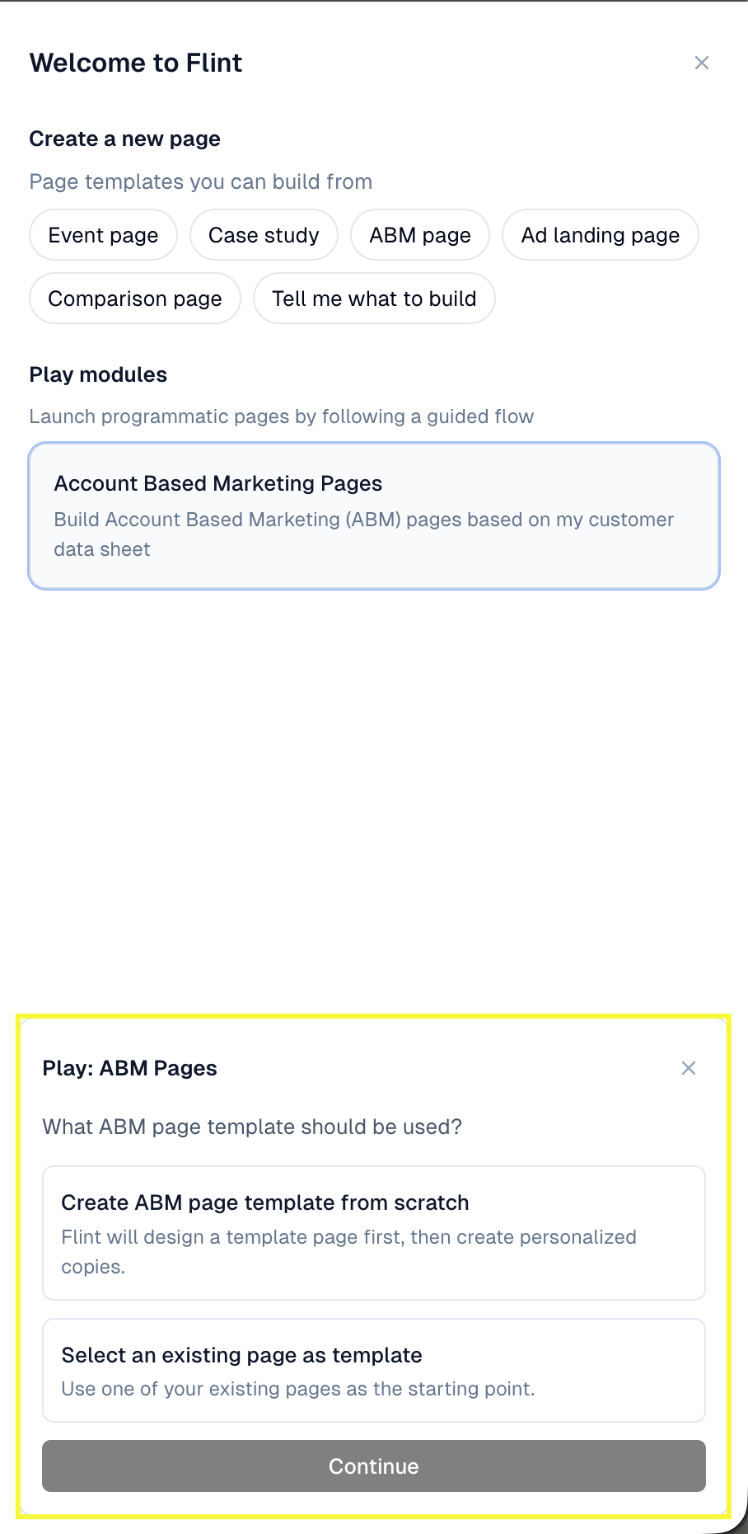
Once launched, the play will prompt you to choose your starting point:
- •Create ABM page template from scratch -- Flint will design a template page first, then create personalized copies for each account.
- •Select an existing page as template -- Use one of your existing pages as the starting point for all ABM pages.
Click Continue to proceed.
Preparing Your CSV
The play uses a CSV to drive personalization -- each row generates one ABM page for one account.
Here is an example CSV structure you can use as a starting point:
| Account Name | Page Description | Relevant Context |
|---|---|---|
| The target company name | A short description of what the page should convey | What problems does this account have and how does your product solve them |
| Acme Corp | Enterprise supply chain solution for Acme | Acme struggles with fragmented inventory tracking across 12 warehouses and manual reorder processes that cause stockouts. Our platform unifies their inventory into a single real-time view and automates procurement triggers, cutting stockout incidents by 60%. |
| Globex Industries | Real-time financial reporting for Globex | Globex's finance team spends 20+ hours per month reconciling data across legacy ERPs and spreadsheets, delaying quarterly close by two weeks. Our analytics layer sits on top of their existing systems and auto-reconciles transactions, reducing close time to 3 days. |
| Initech Solutions | Cloud migration partnership for Initech | Initech has 200 developers stuck maintaining on-prem infrastructure with 40% of engineering time going to ops instead of product work. Our managed migration service moves workloads to cloud incrementally with zero downtime, freeing their team to ship features. |
The three columns that matter most are Account Name (the target company), Page Description (a short summary of what the page should convey), and Relevant Context (the account's specific pain points and how your product addresses them). You can add additional columns to pass more context and further personalize each page.
Once your CSV is ready, upload it into the chat when prompted.
Credits and Usage
Generating pages through the ABM Play consumes credits from your plan.
Estimated credit usage:
- •Generating a template + 100 pages: approximately 600 credits
- •Bulk generation with an existing template: approximately 1-4 credits per page
We recommend checking your available credits before starting a large run. You can view your credit balance in the Usage section of your dashboard.
Next Steps
Once your pages are generated, you can:
- •Review and tweak individual pages directly in the editor
- •Publish pages to your configured domain or subdomain
- •Add tracking scripts for attribution (see Analytics & Tag Manager)
For a full step-by-step walkthrough of the ABM workflow, see the ABM Workflow Guide.
