
Overview
Find the Publish button in the top right corner of the editor. Clicking it opens a panel where you can publish your site to make it live.
Previewing Your Changes
Before publishing, you can preview your current page using the Share button. This generates a live preview link that shows your latest changes, allowing you to review or share with your team before going live.
AI Change Summary
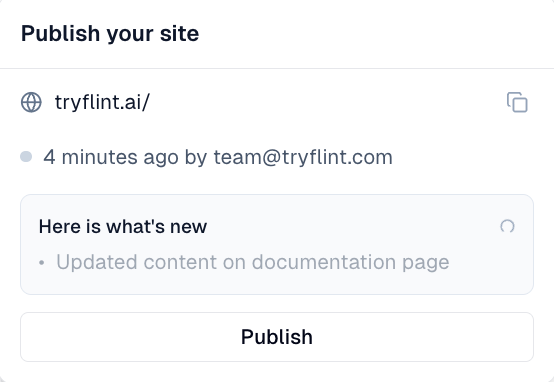
When you open the Publish panel, Flint's AI automatically generates a summary of all changes you've made since your last publish. This gives you a clear overview of what's about to go live, making it easy to review and confirm before publishing.
Publishing
When you're ready, click Publish to make your site live. Your changes will be available to the public at your configured domain.
