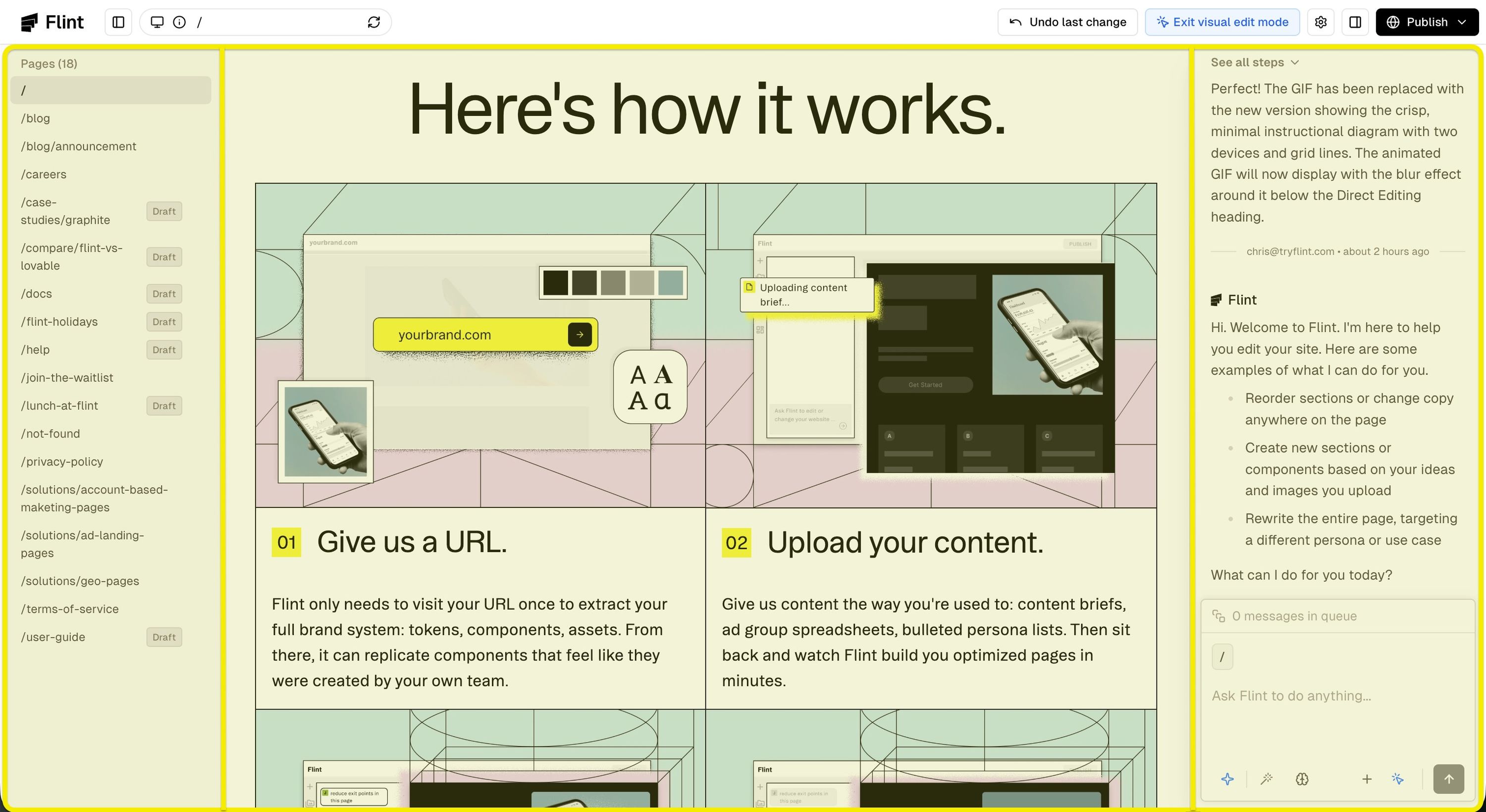
Editor Layout
The editor has three main areas: the canvas (where you build), the sidebar (for navigation), and the AI chat (where AI builds).
Direct Editing
Click any text or image to edit it directly on the canvas. This makes quick updates incredibly fast and intuitive.
AI-Powered Changes
For more complex edits, describe what you want and Flint will handle it.
Image Generation
Have the Flint agent access your existing and newly generated assets from the asset library in the AI chat.
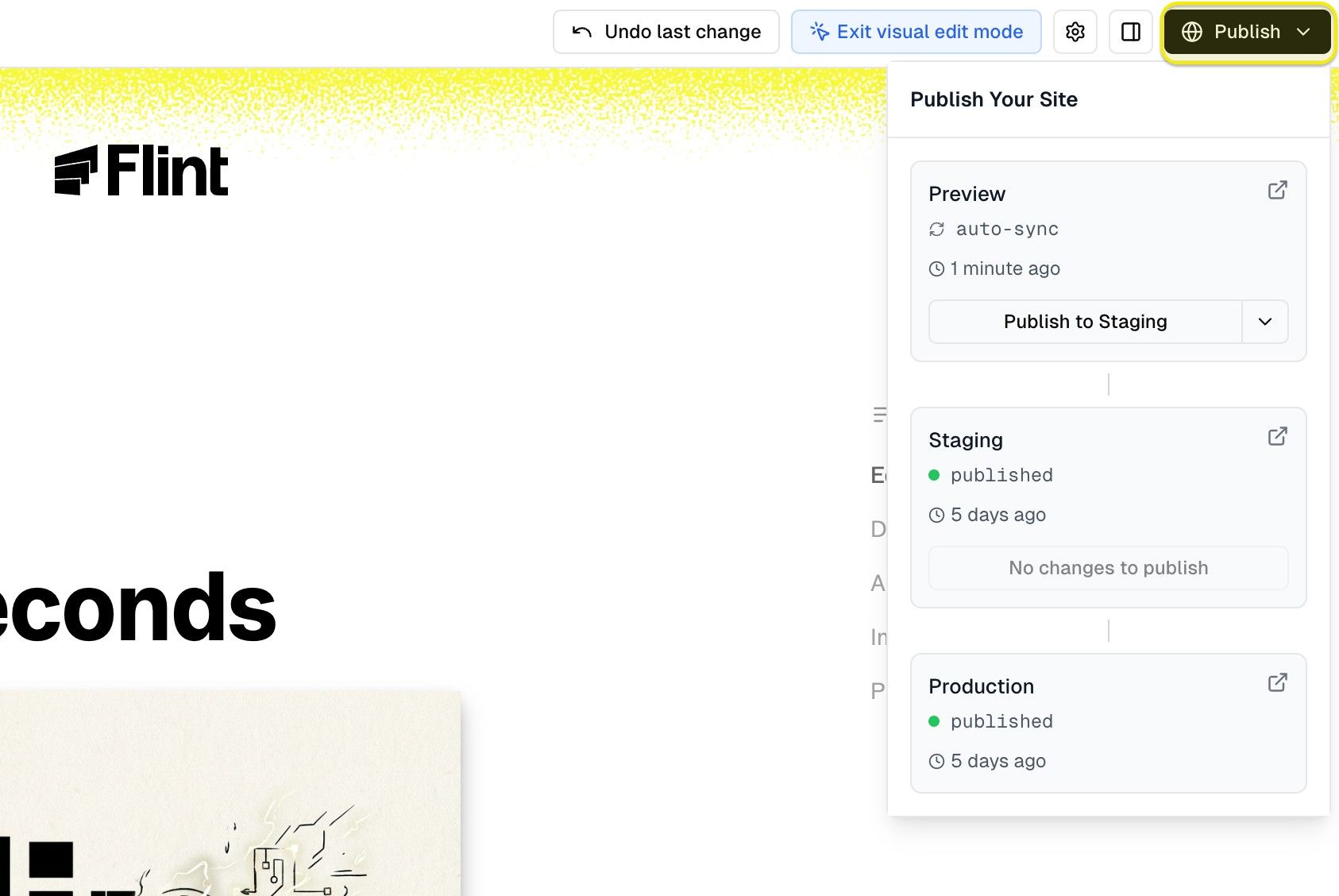
Publishing
When you're ready, click the publish button to push your site live at your configured domain.